There are two ways to do that: Image Extending & Image Customising
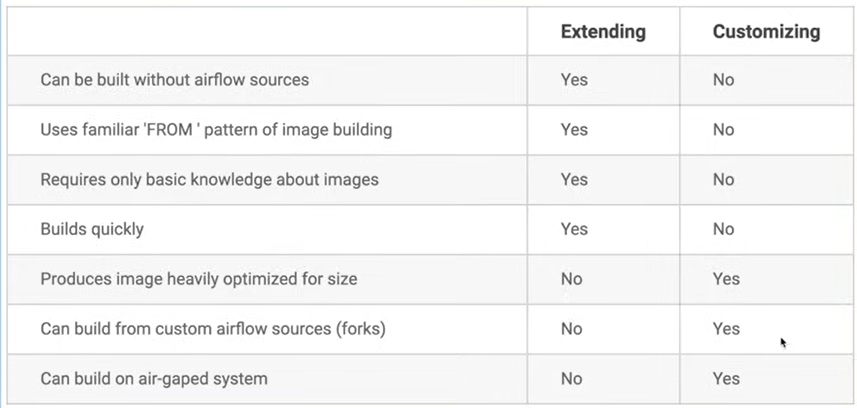
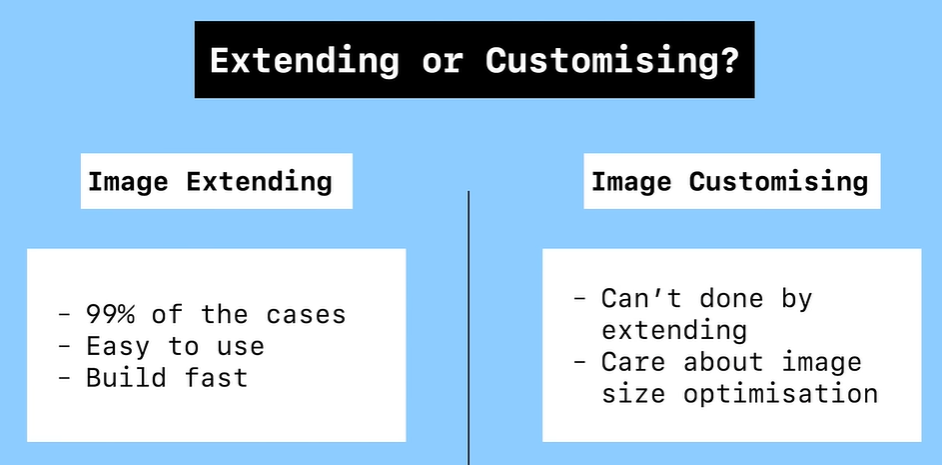
-
Image Extending
- Create requirements.txt with dependencies. Example:
scikit-learn==0.24.2 - Define the extended image by creating Dockerfile
FROM apache/airflow:2.0.1COPY requirements.txt /requirements.txtRUN pip install --user --upgrade pipRUN pip install --no-cache-dir --user -r /requirements.txt - Build the image
docker build . --tag extending_airflow:lates - Replace the image name in the docker compose
from:
image: ${AIRFLOW_IMAGE_NAME:-apache/airflow:2.8.3}to:image: ${AIRFLOW_IMAGE_NAME:-extending_airflow:latest} - Rebuild the docker compose for webserver & scheduler
- Create requirements.txt with dependencies. Example:
-
Image Customizing
- clone the airflow source code, open the folder
- Create requiremnets.txt in the docker-context-files
- Build the image
`docker build . —build-arg ARIFLOW_VERSION=‘2.0.1 —tag cutomising_airflow:latest’
- Replace the image name in the docker compose
- Rebuild the docker compose for webserver & scheduler